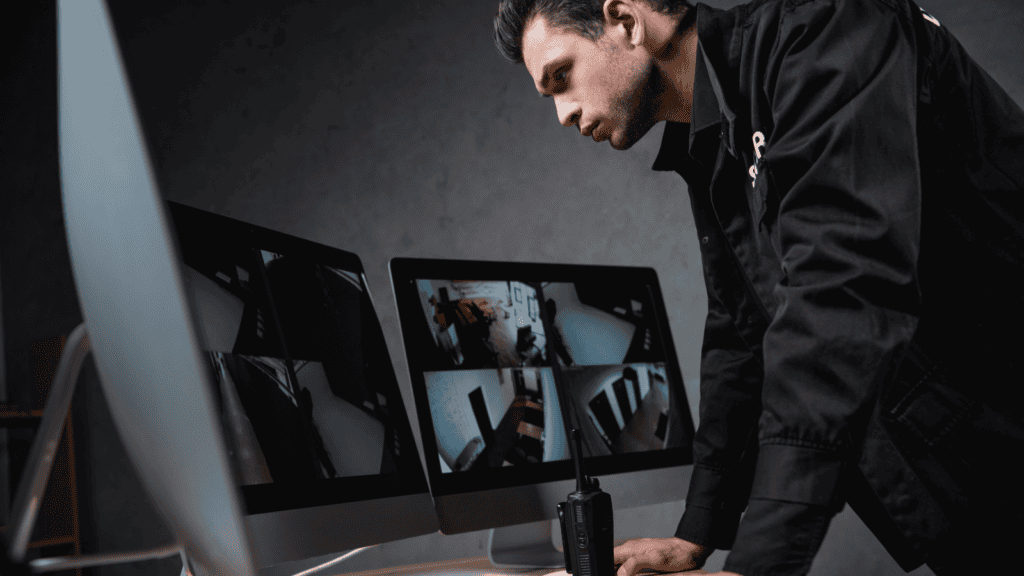
The call usually comes after something has already happened. A drive-off. A slip in the lobby. A cash drawer that came up short. A car clipped in the parking lot.
Someone goes to pull the restaurant camera footage, and it isn't there. Or it's there, but the face is a blur, the timestamp is off, or the camera that covers that corner has been dark for weeks.
December raises the stakes. Longer hours, heavier traffic and more cash moving through the store all mean more chances that you'll need footage, and more pressure when you do.
The real issue with restaurant camera footage: nobody owns the check
Most operators assume that if the cameras are installed and the recorder is running, the footage is there. It's a reasonable assumption. But in the CCTV service calls Carolina Georgia Sound (CGS) handles, the hardware is rarely the whole story. Cameras don't usually fail loudly. They fail quietly, and nobody finds out until the day they need the footage.
That isn't a people problem. It's a process gap. When no one is assigned to verify the system, no one does. Here are the six problems we find most often.
1. A camera has been offline for weeks
What it looks like: One tile on the monitor is black, frozen or showing "no signal," and it has been that way long enough that nobody notices anymore.
Why it happens: A power interruption, a failed connection, a network change, or a camera that simply stopped. The recorder keeps running on the other cameras, so nothing alerts anyone.
What high-performing operators do: Someone looks at every camera on a schedule. Weekly is a good starting point. Better still, the system is monitored, so a camera that drops gets flagged in days, not months.
2. The footage was overwritten before anyone looked
What it looks like: You go back to find an incident from last week, and the oldest recording is only a few days old.
Why it happens: Recorders overwrite the oldest footage once storage is full. Adding cameras, raising resolution or changing recording settings can shorten how far back you can go, and so can a failing hard drive. Nobody decided retention should shrink. It just did.
What high-performing operators do: They know how many days of footage each store keeps and check it periodically. If your brand, landlord or insurer sets a retention requirement, that's the number to check against.
3. The timestamp is wrong
What it looks like: The footage shows the incident, but the clock on screen is off by an hour, or more.
Why it happens: Recorder clocks drift, and daylight saving time changes don't always apply on their own. A few weeks after the November time change, this is worth a look. A wrong timestamp makes it harder to match footage to POS transactions, and harder to use if an insurer or police department asks for it.
What high-performing operators do: They compare the recorder's time to a phone once a month and after every time change.
4. The night view is unusable
What it looks like: Daytime footage is sharp. After dark, the parking lot is grainy, the drive-thru lane is washed out by headlights, or the picture is covered in what looks like moving cobwebs.
Why it happens: It gets dark earlier in December, so more of your business happens in low light. Infrared night vision attracts insects and spiders, and a single web across the lens can ruin the picture. Headlight glare in the drive-thru lane can overwhelm a camera that isn't positioned or set up for it.
What high-performing operators do: They review footage from after dark, not just from the middle of the day, and clean camera housings as part of routine maintenance.
5. The angle moved or the view is blocked
What it looks like: The camera works, but it now shows the ceiling, a wall or the back of a new display.
Why it happens: Cameras get bumped during cleaning or maintenance. New signage, equipment or seasonal decorations go up in front of them. Remodels change the layout the cameras were aimed for.
What high-performing operators do: Any time something changes in the store, someone checks the camera views. That includes holiday decorations.
6. Nobody on shift knows how to pull the footage
What it looks like: The incident happened at 9 p.m. The only person who knows the recorder login is off until Monday, or left the company in the spring.
Why it happens: Access lives with one or two people. Turnover and shift changes break the chain. Exporting a clip is something most managers do rarely, so few remember how.
What high-performing operators do: At least two managers per store can find and export footage. Logins are updated when people leave. The steps are written down where the team can find them.
What to do next
A 15-minute check per store covers most of this:
- View every camera live. Note any that are dark, frozen or blocked.
- Check the recorder's date and time against your phone.
- Find the oldest recording on the system and note how many days back it goes.
- Watch a few minutes of after-dark footage from the drive-thru lane and parking lot.
- Confirm two managers can export a short clip, and that every login belongs to a current employee.
If any of those fail, the fix is usually straightforward. The hard part is checking consistently, across every store, every month. That's the work a managed CCTV service is built to take off your plate: someone accountable for verifying the system, not just installing it.
Want CGS to Check Your Camera System Before You Need It?
CGS serves QSR operators across Georgia, South Carolina, and Ohio. A camera check confirms that every camera is live, shows how many days of footage your recorder actually holds, and verifies the clock and the after-dark view. Cameras rarely fail loudly, so most problems are only found on the day the footage is needed. Schedule a check now, before an incident makes you find out.
Schedule a Camera Check
About the Author
Written by Grant Wycliff, President of CGS. Grant works with QSR operators across Georgia, South Carolina, and Ohio on CCTV and security systems, drive-thru technology, and full-stack technology service. CGS is a commercial AV and technology integrator with 35 years of experience serving QSR operators, retail, hospitality, and commercial businesses. Connect with us on LinkedIn.