You’ve asked yourself the question. Maybe more than once.
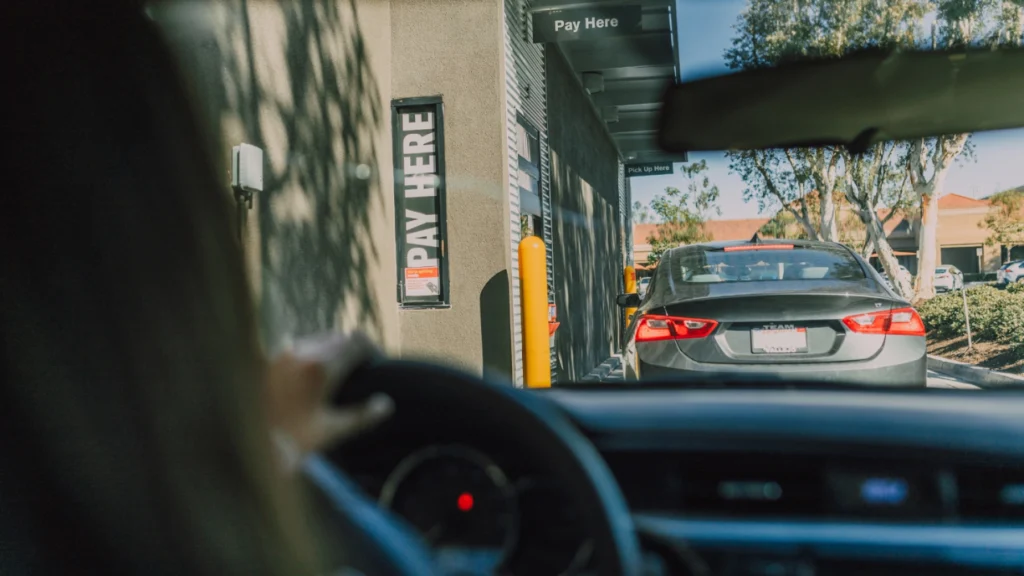
The team is trained. They’re moving. Nothing is obviously broken. And yet the drive-thru feels slower than it should — cars stacking a little more, orders taking a little longer, peak hours feeling harder than they used to.
This guide is designed to help you diagnose what’s actually happening. Not a general overview of drive-thru operations — a practical, symptom-by-symptom tool for figuring out whether your slowdown is a people problem, a system problem, or something else entirely.
Start Here: Separate People Problems from System Problems
Most operators instinctively look at execution first. More training. More staff. Faster movement. Those are reasonable responses — but they only work if execution is actually the issue.
When a strong team is underperforming, the cause is usually friction inside the system they’re working inside. System problems don’t respond to staffing adjustments. Adding people to a system bottleneck increases complexity without improving flow.
The diagnostic questions below are designed to help you figure out which category your problem falls into.
The Self-Diagnosis Table: Match Your Symptoms to Likely Causes
| If you see this… | The likely cause is… |
|---|
| Customers repeating orders frequently | Audio clarity or headset system degradation |
| Orders slower on certain days or hours only | Peak-load system lag or crew bottleneck |
| One location slower than identical store | Equipment inconsistency or deferred maintenance |
| Gradual slowdown over months, no single incident | Progressive equipment degradation (common in speakers/displays) |
| Team feels rushed even with extra staff | System friction — adding people doesn't remove system drag |
| Menu board complaints from customers | Display degradation or poor visual hierarchy |
The 6 Most Common Root Causes — and How to Spot Them
1. Audio Degradation
Headset systems and speaker posts degrade gradually. Audio clarity drops over months, not overnight — which means the decline often goes unnoticed until it’s meaningfully affecting order accuracy and transaction time.
The tell: customers repeating themselves, employees asking “could you say that again?” more than once per rush. If this sounds familiar during your busiest hours, your audio system is worth a close look.
2. Menu Board Confusion
A menu board that worked well two years ago may not be performing the same way today. Display brightness degrades, item placement becomes cluttered as offerings expand, and what was once clear becomes a source of customer hesitation.
Consider this: a location in the Southeast that CGS worked with had experienced a gradual 8–10% increase in average order time over 18 months. The cause wasn’t staffing — it was a menu board configuration that had never been updated after a menu expansion added 14 new items. No one noticed because the change was so gradual.
3. System Lag
POS delays, headset latency, and display lag don’t have to be dramatic to disrupt flow. A one-second system pause is enough to break a crew member’s rhythm. And once rhythm breaks during a rush, recovery is slow.
4. Inconsistent Equipment Performance
If performance varies day to day — some rushes feel smooth, others feel like wading through mud — you likely have inconsistent equipment performance. This shows up most clearly when you compare locations: same brand, same process, different results.
5. Gradual Equipment Degradation
Most systems don’t fail. They fade. Speakers lose clarity. Displays dim. Response times creep upward by fractions of a second. Because the change is slow, it feels like normal variation — until it’s compounding into a real throughput problem.
6. Reactive Maintenance Cycles
If your operation only addresses equipment issues when they become obvious failures, you’re always behind. By the time something is visibly broken, it’s already been dragging performance for weeks or months.
Why Adding Staff Usually Doesn’t Fix It
This is the most common mistake operators make when facing a slow drive-thru.
More staff feels like a logical response to a throughput problem. But if the system is the bottleneck — if audio is unclear, if displays are slow, if equipment is degrading — additional people don’t remove that friction. They add communication points, increase coordination complexity, and create more opportunities for the system to create delays.
A system problem cannot be staffed away. It needs to be diagnosed and addressed at the source.
How Multi-Unit Operators Can Use This Diagnosis
If you operate multiple locations, the diagnostic process gets easier — and more revealing.
Pick your highest-performing location. Use it as your baseline. Then compare your slower locations against that baseline: same staffing model, same training, same brand standards. Where does the experience diverge?
In almost every case, the gap is at the equipment or system configuration level. The team isn’t the variable. The system is.
When to Call in Outside Help
Some drive-thru problems are diagnosable from the inside. Others require an outside perspective — particularly when:
- You’ve already made staffing and training adjustments without improvement
- The problem is intermittent and doesn’t show up clearly in your data
- Performance varies between locations and you can’t identify the cause
- The slowdown has been gradual and you’re not sure when it started
Frequently Asked Questions
How can I tell if my drive-thru is slower than average?
The most practical benchmark is to compare your average service time — from order confirmation to car departure — against McDonald’s system targets for your daypart. If you’re consistently above target during peak hours with a full crew, the issue is almost certainly a system constraint, not an execution gap.
Does adding staff fix a slow drive-thru?
Rarely, if the root cause is a system issue. Adding staff to a system bottleneck increases operational complexity without removing the underlying friction. The result is often a team working harder with no meaningful improvement in throughput.
What’s the difference between a peak-hour slowdown and an equipment problem?
A peak-hour slowdown that resolves itself once volume drops is often a capacity or coordination issue. A slowdown that persists regardless of volume, or that gets progressively worse over weeks and months, points to equipment degradation or system configuration problems.
Final Thought: Slow Is Usually a Signal
A slow drive-thru is rarely just a speed problem. It’s a signal that something in the system is introducing friction — friction that compounds across every transaction, every hour, every day.
Operators who diagnose it correctly — and address it at the source — don’t just recover lost throughput. They build an operation that performs consistently, even under pressure.
Learn more about HME and PAR drive-thru systems
Request a Drive-Thru System Performance Audit
CGS offers a structured Drive-Thru System Performance Audit to identify exactly what is slowing your operation. This includes audio clarity assessment, system responsiveness evaluation, menu board effectiveness analysis, and identification of hidden bottlenecks impacting throughput.
Schedule your free diagnostic today with Carolina Georgia Sound.
About the Author
Written by the CGS team. CGS is a McDonald’s OTP-approved technology partner serving operators across the Southeast and Mid-Atlantic. With over a decade of experience in QSR technology installation and performance optimization, the CGS team works directly with multi-unit operators to identify and resolve the system-level issues that limit drive-thru throughput. Connect with us on LinkedIn.