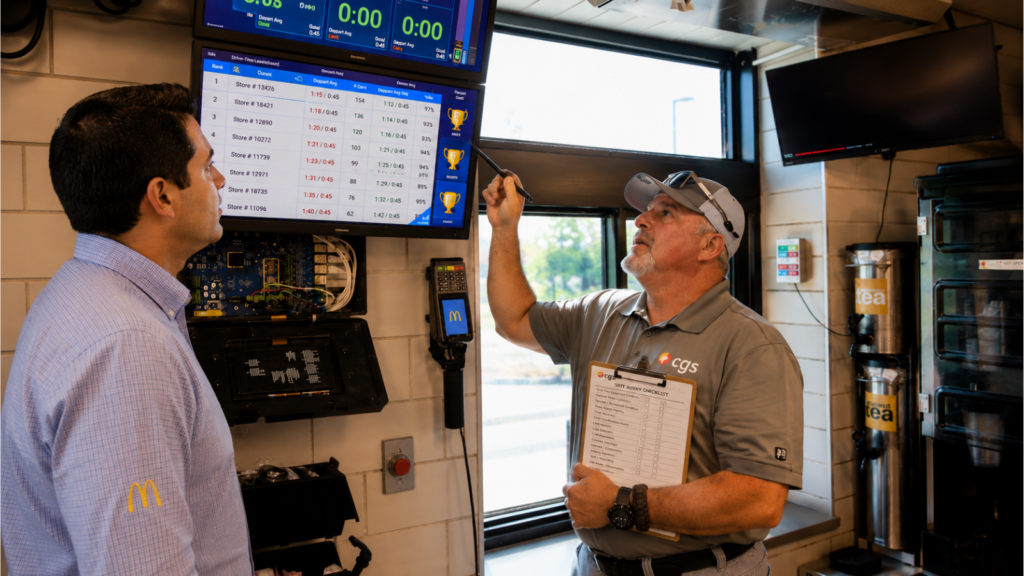
Most drive-thru systems do not fail dramatically. They degrade gradually, in ways that are easy to miss if nobody is actively monitoring for them. A system that was performing well two years ago may be costing your operation significant revenue today without ever triggering a service call.
The problem is that gradual degradation is invisible in most QSR reporting. Your POS data shows transaction counts and average ticket. Your drive-thru timer shows seconds per car. Neither of those surfaces the signal you actually need to know: whether your technology is limiting what your crew can do.
Here is how to assess whether your drive-thru system is underperforming, without waiting for something to break.
Signals in Your Crew Behavior
Crew members raising their voices or asking customers to repeat themselves
In a well-functioning drive-thru audio system, conversation between crew and customers is clear at normal speaking volumes. When crew members are raising their voices, cupping the headset, or consistently asking customers to repeat themselves, that is not a staffing problem. That is a system problem.
Audio clarity degrades over time as components age. The degradation is gradual enough that crew members adapt to it without naming it as a system issue. By the time a manager notices the pattern, the system has often been underperforming for months.
Longer average transaction times without a clear cause
A 30-second delay in drive-thru service costs a single location approximately $32,000 per year in lost revenue. That number assumes the delay is consistent across every transaction during a lunch rush. The math is not hypothetical.
If your drive-thru timer shows transaction times that have crept up over the past six to twelve months and staffing has not changed, the likely cause is system degradation. Longer order times often trace back to audio clarity issues that require more back-and-forth per transaction. More order errors traced to miscommunication. Confirmation board lag that slows the flow at the window. None of those show up as equipment failures. They show up as throughput numbers.
Headset battery complaints or frequent swaps
Headset batteries that lose capacity gradually become a manageable inconvenience before they become a documented problem. Crew members swap headsets more frequently. A headset that used to last a full shift now needs a swap at peak hours. The pattern is visible to crew before it is visible to management.
Ask your crew directly how often they are swapping headsets and whether they are noticing any differences in audio quality between units. Their answers will tell you more about your system's actual state than any dashboard.
Signals in Your System Configuration
Your NVR retention settings have never been reviewed since installation
A camera system that was installed and turned on is not necessarily a camera system that is configured correctly. NVR storage fills silently and begins overwriting footage when it reaches capacity. If your retention settings were never reviewed after installation, there is a meaningful chance your system is retaining less footage than your franchise agreement or insurance policy requires.
The McDonald's NRBES 2027 standard requires 90 days of retention for the office camera and 60 days for all other cameras. A system running at factory default retention settings almost certainly does not meet those requirements. And you will not find out until a compliance review or an incident requires footage you do not have.
You cannot tell me how many days of footage your system is currently retaining
This is the single most useful diagnostic question for a camera system. If you do not know the answer, your system has not been actively managed. Log into your NVR and check. If you cannot access it without help, that is itself a signal.
Your speaker post has not been adjusted since installation
Speaker post sensitivity drifts over time and is affected by seasonal temperature changes, vehicle traffic patterns, and the accumulation of physical wear on the components. A speaker post that was calibrated correctly at installation may be significantly miscalibrated today without anyone having noticed.
A simple test: sit in a car at the speaker post with a crew member inside at the headset. Have a normal conversation at speaking volume. If the crew member cannot hear you clearly without asking you to repeat yourself, or if you cannot hear them clearly without straining, the speaker post needs attention.
What to Do If You Recognize These Signs
The first step is a system assessment, not a full replacement conversation. An assessment tells you what the system currently looks like, what is performing, what is degrading, and what needs to be addressed. It is the difference between making an informed decision and guessing.
CGS maintains 12,000+ active CCTV cameras and 500+ drive-thru maintenance customers across our service footprint in Georgia, South Carolina, and Ohio. If you recognize any of the signals above and have not had your system assessed recently, contact us. We can tell you exactly what you have and what you need.
Frequently Asked Questions
How often should a drive-thru system be serviced?
CGS recommends a proactive assessment at least twice per year for active drive-thru systems, with immediate attention any time crew members begin reporting audio issues or transaction times trend upward without a staffing explanation. High-volume locations benefit from quarterly check-ins.
What does a drive-thru system assessment cover?
A CGS drive-thru assessment covers audio clarity at the speaker post and headset, headset battery capacity and condition, speaker post sensitivity calibration, timer integration and accuracy, NVR retention settings and storage capacity, camera coverage zone verification, and a full system test under simulated peak conditions.
How long does a typical drive-thru assessment take?
Most drive-thru system assessments take two to four hours on site. For multi-unit operators, CGS can schedule assessments across multiple locations in sequence to minimize operational disruption.
Not Sure If Your System Is Underperforming? Get It Assessed
CGS maintains 12,000+ active CCTV cameras and 500+ drive-thru maintenance customers across Georgia, South Carolina, and Ohio. A system assessment tells you exactly what's performing, what's degrading, and what needs to be addressed — before it shows up in your throughput numbers.
Request a System Assessment
About the Author
Written by Grant Wycliff, President of CGS. Grant works with QSR and multi-unit operators across Georgia, South Carolina, and Ohio on drive-thru system assessments, maintenance, and full-stack technology service. CGS is a McDonald's OTP-approved technology partner and HME-certified installer maintaining active CCTV and drive-thru systems across the region. Connect with us on LinkedIn.